# 11.4. Running the Model Audit.
{% stepper %}
{% step %}
To start the model check, open the **Qsee** tab in the Revit file's toolbar and activate the **Model Audit** command.
{% endstep %}
{% step %}
In the top-left corner of the plugin's workspace, select the **Select Checks** option.
{% endstep %}
{% step %}
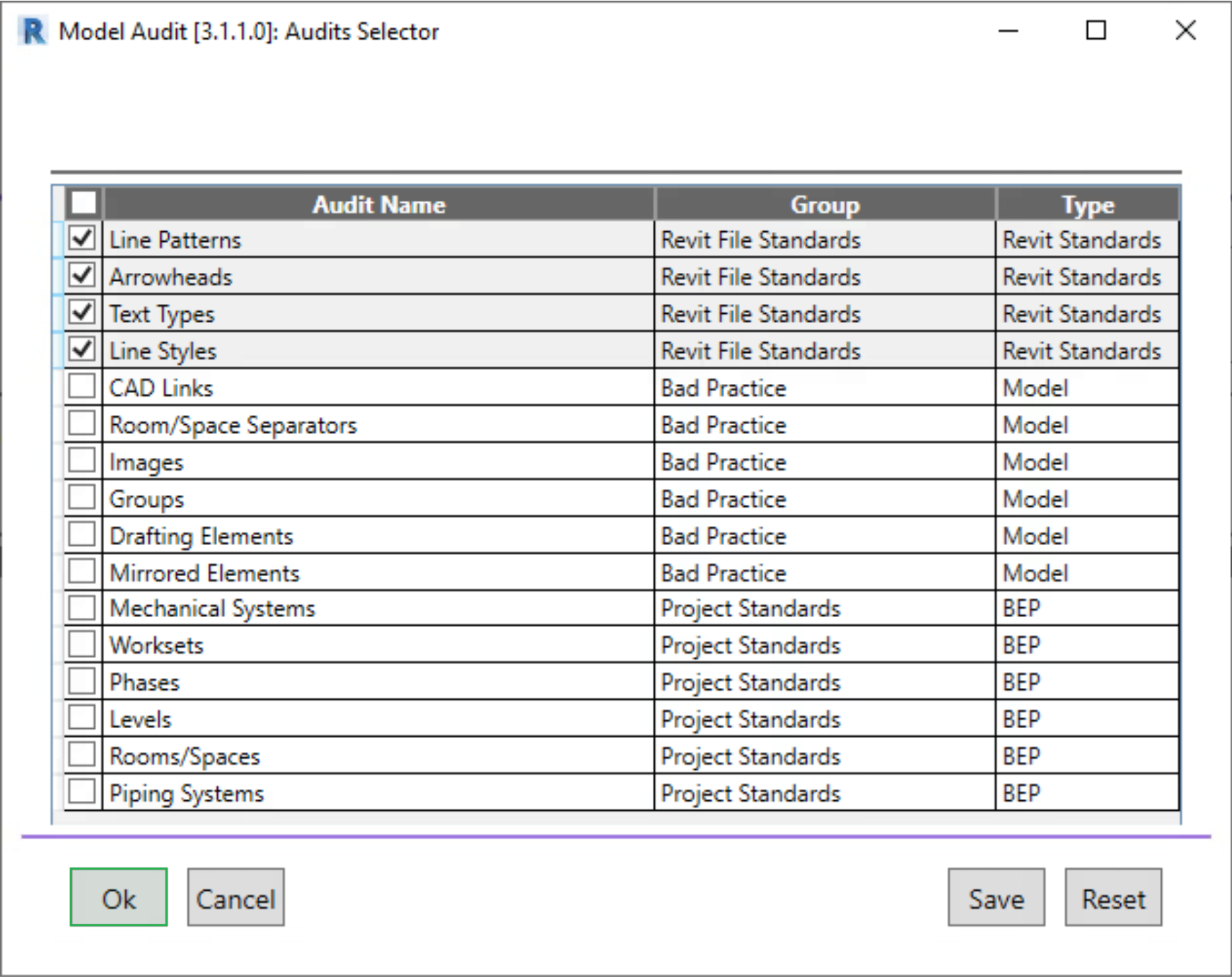
In the dialog window that appears, choose one or more checks to be performed and confirm by clicking **OK**.
{% hint style="info" %}
Note: To save the selected checks for future use, click Save. To reset the settings, click Reset
{% endhint %}
{% endstep %}
{% step %}
To begin the audit, click **Start** in the top-left corner of the plugin's workspace.
{% endstep %}
{% step %}
Once the audit is complete, the results for the selected categories will be displayed in the workspace. For a detailed report, click on the relevant check entry.
{% endstep %}
{% endstepper %}